Analyze
Statistics
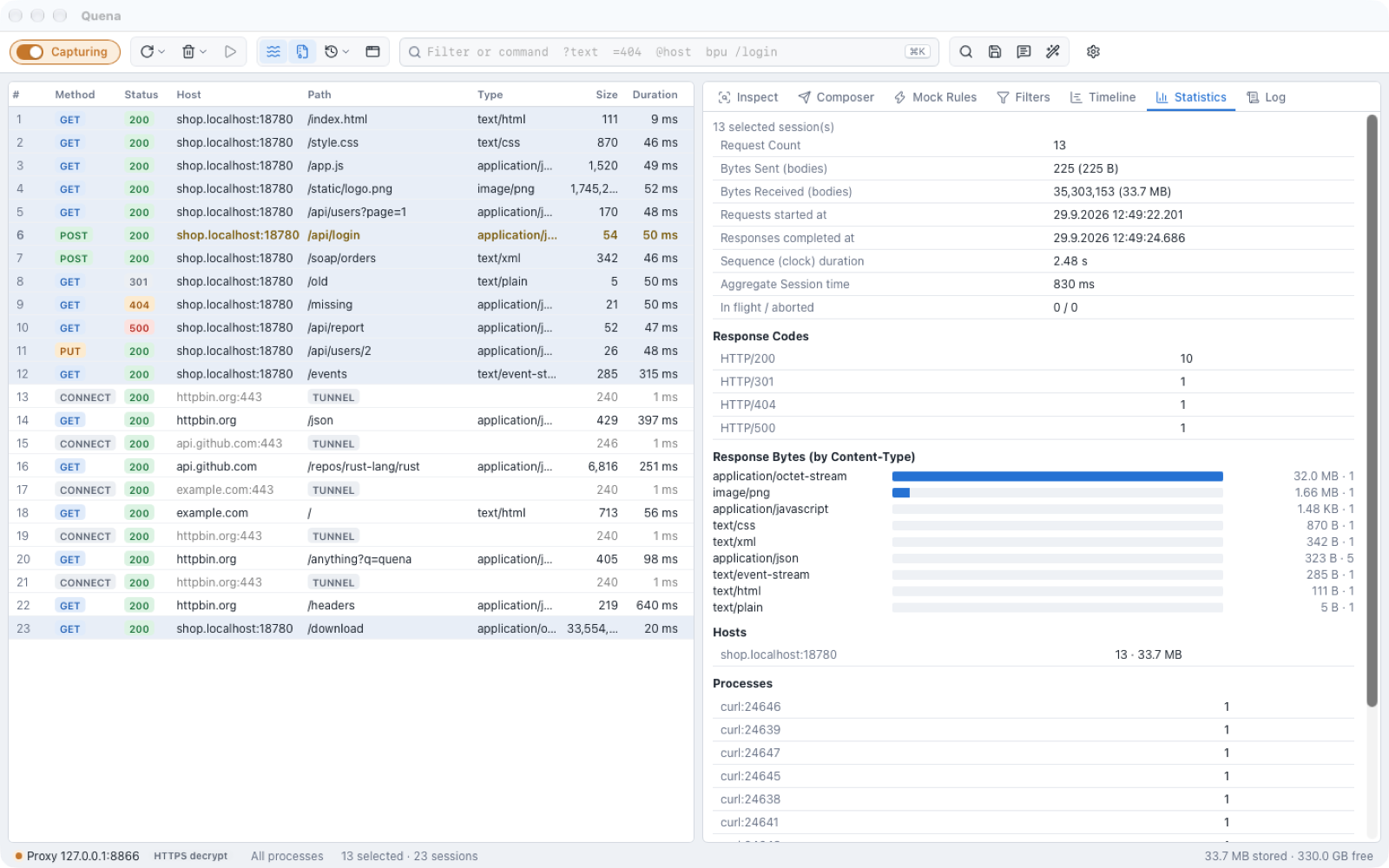
The Statistics tab (F7) summarizes the selected sessions — or all sessions when
nothing is selected — and updates while traffic arrives:
- request count, bytes sent and received (bodies), first request and last response, clock duration of the sequence, aggregate session time, in-flight and aborted sessions;
- Response Codes;
- Response Bytes (by Content-Type) as bars;
- Hosts and Processes.
Timeline
The Timeline tab shows the selected sessions (up to 500) as a waterfall on a shared time axis. Each session's bar is split into its phases:
| Phase | Meaning |
|---|---|
| Request from client | Quena receiving the request from the client |
| DNS | resolving the server's name |
| Connect | opening the TCP connection |
| TLS | the TLS handshake with the server |
| Send | sending the request to the server |
| Wait (time to first byte) | waiting for the first byte of the response |
| Receive | receiving the response |
Hover a bar to see the time of each phase; click a row to select that session. The legend lists the phases that occur; phases without timing data (for example DNS, connect and TLS on a reused connection) are left out.
Structure
The Structure tab shows the visible sessions (after filters) as a tree: hosts at the top, then path segments. Each node shows how many sessions it contains, how many of them are errors and how many bytes were received.
- Expand hosts and folders to drill down; levels load on demand.
- Click a host or folder to select all its sessions in the list — then use Statistics, Timeline, Copy, Save or Remove on exactly that part of the traffic.
- A filter box narrows the tree.
Compare
Select exactly two sessions and choose Compare from the context menu. Quena shows both sessions — request line, headers and bodies (up to 256 KB each) — side by side as a diff.
Text Tools
Text Tools (Ctrl/⌘ E, Tools → Text Tools…, or the wand in the toolbar) convert text
you paste:
| Operation | |
|---|---|
| To Base64 / From Base64 | |
| URLEncode / URLDecode | |
| HTML Encode / HTML Decode | |
| To Hex / From Hex | |
| JS String Escape / JS String Unescape | |
| Decode JWT | header and payload as formatted JSON |
| Unix time → Date | seconds, milliseconds or microseconds, as ISO and local time |
| UTF-8 bytes | the UTF-8 byte values of the text |